
Skip to main content
To send a Patient Questionnaire:
- Select the patient in the clinical system
- Select the SMS icon on your Toolbar

- From the category search, look for your chosen template and select it, try just typing the first 3 letters of what you want to send, the text of the template will appear automatically for you
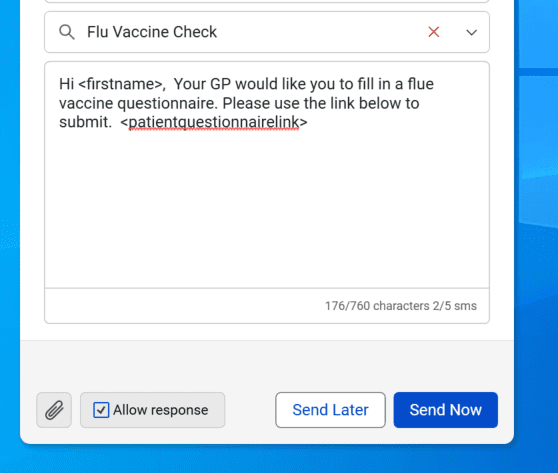
- Chose to Send now or Send later
- All done!